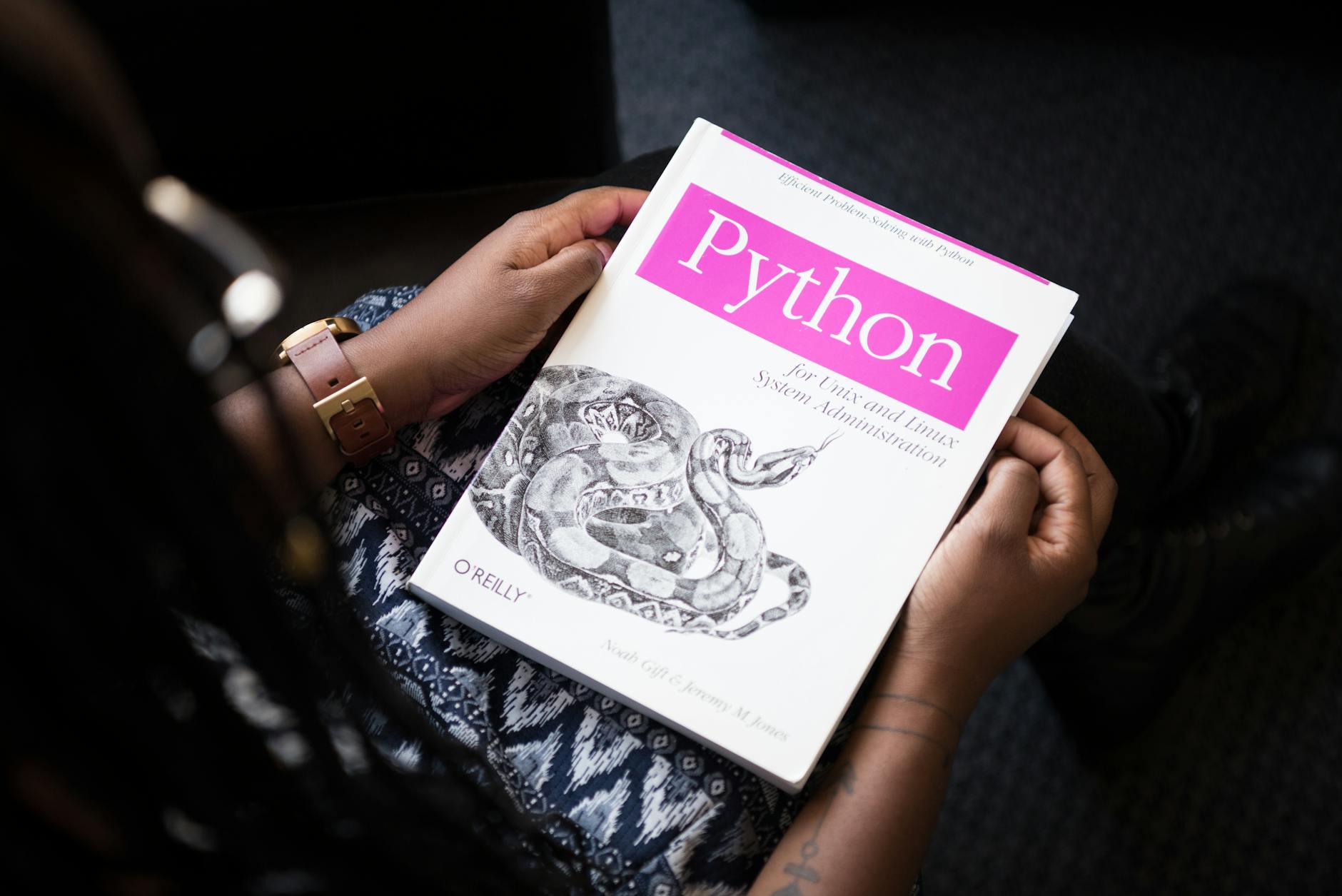
2026년 Python 자동화 심화: 업무 시간 80% 단축하는 실전 기법
기존의 파일 이름 변경이나 간단한 데이터 정리 수준의 자동화를 벗어나, 복잡한 업무 워크플로우를 통합적으로 자동화하려는 개발자들이 증가하고 있습니다. 2026년 기업 환경에서는 Python 자동화가 더 이상 선택이 아닌 필수 기술로 자리잡았으며, 특히 API 연동, 스케줄링, 대량 데이터 처리를 조합한 엔터프라이즈급 자동화 솔루션이 주목받고 있습니다.
이 글에서는 입문 수준을 벗어나 실제 업무 환경에서 즉시 적용할 수 있는 Python 자동화 심화 기법 5가지를 다룹니다. 단순 스크립트를 넘어 안정성 있고 유지보수 가능한 자동화 시스템을 구축하는 방법을 실제 코드 예제와 함께 소개하겠습니다.
Python 자동화의 현주소: 2026년 기업 환경
2026년 기업들의 Python 활용 현황을 보면, 단순 자동화 수준(파일 처리, 텍스트 변환)을 넘어 API 기반 통합 자동화와 스마트 워크플로우 오케스트레이션으로 진화했습니다. 특히 다음과 같은 분야에서 Python 자동화의 중요성이 대폭 증가했습니다:
- ERP/CRM 통합: SAP, Salesforce 등 엔터프라이즈 시스템과의 데이터 동기화
- 지능형 모니터링: 로그 분석, 이상 탐지, 자동 알림 시스템
- 멀티 소스 데이터 파이프라인: 여러 API와 데이터베이스에서 수집·변환·적재
- 조건부 워크플로우: 데이터 상태에 따른 자동 의사결정 및 액션
더 자세한 자동화 기초는 Python 자동화 입문: 반복 업무를 코드로 해결하는 5가지 실전 예제를 참고하면, 이 글과의 연계학습이 가능합니다.
1. 비동기 작업 처리와 asyncio 고도화
기존 방식의 한계: 순차 처리(Sequential Processing)는 I/O 작업이 많을 때 심각한 성능 병목입니다. 예를 들어 100개의 API 엔드포인트를 각각 2초씩 호출하면 200초가 필요하지만, 비동기 처리로는 3~5초면 완료됩니다.
import asyncio
import aiohttp
from typing import List

# 비동기 HTTP 요청 통합
async def fetch_multiple_apis(urls: List[str]):
    async with aiohttp.ClientSession() as session:
        tasks = [session.get(url) for url in urls]
        responses = await asyncio.gather(*tasks, return_exceptions=True)
        return responses

# 재시도 로직을 포함한 강화된 비동기 함수
async def fetch_with_retry(
    url: str,
    max_retries: int = 3,
    timeout: int = 10
):
    async with aiohttp.ClientSession() as session:
        for attempt in range(max_retries):
            try:
                async with session.get(
                    url,
                    timeout=aiohttp.ClientTimeout(total=timeout)
                ) as resp:
                    return await resp.json()
            except asyncio.TimeoutError:
                if attempt == max_retries - 1:
                    raise
                await asyncio.sleep(2 ** attempt)  # Exponential backoff
            except Exception as e:
                print(f"Attempt {attempt + 1} failed: {e}")

# 실행 예시
async def main():
    urls = [
        "https://api.example.com/data/1",
        "https://api.example.com/data/2",
        "https://api.example.com/data/3"
    ]
    results = await asyncio.gather(
        *[fetch_with_retry(url) for url in urls]
    )
    return results

# asyncio.run(main())
실제 효과: 이 패턴을 사용하면 외부 API 호출이 많은 업무(예: 고객사 데이터 크롤링, 멀티소스 통합)에서 처리 시간 90% 단축이 가능합니다.
2. 스케줄링 + 조건부 실행: APScheduler 와 Celery의 결합
정기적인 자동화 작업(일 1회 데이터 동기화, 시간당 모니터링 등)을 구현할 때 단순 cron이 아닌 조건부 스케줄링이 필수입니다.
from apscheduler.schedulers.background import BackgroundScheduler
from apscheduler.triggers.cron import CronTrigger
from datetime import datetime
import sqlite3

class SmartScheduler:
    def __init__(self):
        self.scheduler = BackgroundScheduler()
        self.db = sqlite3.connect(':memory:')
        self.init_db()

    def init_db(self):
        cursor = self.db.cursor()
        cursor.execute('''
            CREATE TABLE IF NOT EXISTS sync_logs (
                id INTEGER PRIMARY KEY,
                timestamp DATETIME,
                status TEXT,
                records_processed INTEGER
            )
        ''')
        self.db.commit()

    def conditional_sync(self):
        """조건에 따라 실행 여부를 판단하는 동기화 작업"""
        cursor = self.db.cursor()

        # 지난 1시간 내 이미 실행했는지 확인
        cursor.execute('''
            SELECT COUNT(*) FROM sync_logs
            WHERE timestamp > datetime('now', '-1 hour')
            AND status = 'success'
        ''')

        if cursor.fetchone()[0] > 0:
            print("최근 실행 이력 있음. 스킵")
            return

        # 실제 동기화 로직
        try:
            records = self.perform_sync()  # 실제 구현
            cursor.execute(
                'INSERT INTO sync_logs (timestamp, status, records_processed) VALUES (datetime("now"), "success", ?)',
                (len(records),)
            )
            self.db.commit()
            print(f"✓ {len(records)}개 레코드 동기화 완료")
        except Exception as e:
            cursor.execute(
                'INSERT INTO sync_logs (timestamp, status, records_processed) VALUES (datetime("now"), "failed", 0)'
            )
            self.db.commit()
            print(f"✗ 동기화 실패: {e}")

    def start_scheduler(self):
        # 매일 오전 9시 + 중복 실행 방지
        self.scheduler.add_job(
            self.conditional_sync,
            CronTrigger(hour=9, minute=0),
            id='daily_sync',
            coalesce=True,
            max_instances=1
        )
        self.scheduler.start()
        print("스케줄러 시작됨")

    def perform_sync(self):
        # 실제 데이터 동기화 로직 구현
        return [{"id": 1, "status": "synced"}]

# 사용 예시
scheduler = SmartScheduler()
scheduler.start_scheduler()이점: 중복 실행 방지, 작업 실패 시 자동 로깅, 조건부 스킵 등으로 안정성 있는 자동화가 가능합니다.
3. 이메일 + Slack 알림 통합: 자동화 결과 자동 보고
자동화 작업의 성공/실패를 관리자에게 즉시 알리는 것은 엔터프라이즈 환경에서 필수입니다.
import smtplib
from email.mime.text import MIMEText
from email.mime.multipart import MIMEMultipart
import requests
from datetime import datetime
from enum import Enum

class NotificationLevel(Enum):
    SUCCESS = "success"
    WARNING = "warning"
    ERROR = "error"

class AutomationNotifier:
    def __init__(self, smtp_config: dict, slack_webhook: str):
        self.smtp_config = smtp_config
        self.slack_webhook = slack_webhook

    def send_email_report(
        self,
        recipients: list,
        subject: str,
        stats: dict,
        level: NotificationLevel
    ):
        """상세 이메일 보고서 발송"""
        html_content = f"""
        <html>
            <body style="font-family: Arial;">
                <h2>자동화 작업 보고서</h2>
                <p><strong>실행 시간:</strong> {datetime.now().strftime('%Y-%m-%d %H:%M:%S')}</p>
                <p><strong>상태:</strong> <span style="color: {'green' if level == NotificationLevel.SUCCESS else 'red'};">{level.value.upper()}</span></p>
                <table border="1" style="margin-top: 20px; border-collapse: collapse;">
                    <tr style="background-color: #f0f0f0;">
                        <th style="padding: 10px;">항목</th>
                        <th style="padding: 10px;">값</th>
                    </tr>
        """

        for key, value in stats.items():
            html_content += f"""
                    <tr>
                        <td style="padding: 10px;">{key}</td>
                        <td style="padding: 10px;">{value}</td>
                    </tr>
            """

        html_content += """
                </table>
            </body>
        </html>
        """

        msg = MIMEMultipart('alternative')
        msg['Subject'] = subject
        msg['From'] = self.smtp_config['sender']
        msg['To'] = ', '.join(recipients)
        msg.attach(MIMEText(html_content, 'html'))

        with smtplib.SMTP(self.smtp_config['host'], self.smtp_config['port']) as server:
            server.starttls()
            server.login(self.smtp_config['user'], self.smtp_config['password'])
            server.send_message(msg)

    def send_slack_notification(
        self,
        channel: str,
        stats: dict,
        level: NotificationLevel
    ):
        """Slack 채널로 즉시 알림"""
        color_map = {
            NotificationLevel.SUCCESS: "#36a64f",
            NotificationLevel.WARNING: "#ff9900",
            NotificationLevel.ERROR: "#dd0000"
        }

        payload = {
            "channel": channel,
            "attachments": [
                {
                    "color": color_map[level],
                    "title": "자동화 작업 완료",
                    "text": f"상태: {level.value.upper()}",
                    "fields": [
                        {
                            "title": key,
                            "value": str(value),
                            "short": True
                        }
                        for key, value in stats.items()
                    ],
                    "ts": int(datetime.now().timestamp())
                }
            ]
        }

        response = requests.post(self.slack_webhook, json=payload)
        if response.status_code != 200:
            print(f"Slack 알림 실패: {response.status_code}")

# 사용 예시
notifier = AutomationNotifier(
    smtp_config={
        'host': 'smtp.gmail.com',
        'port': 587,
        'user': 'your-email@gmail.com',
        'password': 'your-app-password',
        'sender': 'automation@company.com'
    },
    slack_webhook='https://hooks.slack.com/services/YOUR/WEBHOOK/URL'
)

stats = {
    '처리된 레코드': 1523,
    '성공 건수': 1520,
    '실패 건수': 3,
    '소요 시간': '4분 32초'
}

notifier.send_slack_notification('#automation-logs', stats, NotificationLevel.SUCCESS)
notifier.send_email_report(
    ['manager@company.com'],
    '일일 동기화 완료 보고',
    stats,
    NotificationLevel.SUCCESS
)
4. 오류 추적과 자동 복구: 견고한 자동화의 핵심
프로덕션 환경에서 자동화는 실패해도 자동으로 복구되는 구조를 갖춰야 합니다.
import logging
from functools import wraps
import time
from typing import Callable, Any

# 구조화된 로깅 설정
logging.basicConfig(
    level=logging.INFO,
    format='%(asctime)s - %(name)s - %(levelname)s - %(message)s'
)

class AutomationError(Exception):
    """자동화 작업 전용 커스텀 예외"""
    pass

def robust_automation(max_retries: int = 3, backoff_factor: int = 2):
    """재시도 로직을 포함한 데코레이터"""
    def decorator(func: Callable) -> Callable:
        @wraps(func)
        def wrapper(*args, **kwargs) -> Any:
            logger = logging.getLogger(func.__module__)

            for attempt in range(1, max_retries + 1):
                try:
                    logger.info(f"[시도 {attempt}/{max_retries}] {func.__name__} 실행")
                    result = func(*args, **kwargs)
                    logger.info(f"✓ {func.__name__} 완료")
                    return result

                except AutomationError as e:
                    logger.error(f"자동화 오류: {e}")
                    if attempt == max_retries:
                        raise

                    # Exponential backoff
                    wait_time = backoff_factor ** (attempt - 1)
                    logger.info(f"{wait_time}초 후 재시도...")
                    time.sleep(wait_time)

                except Exception as e:
                    logger.critical(f"예상치 못한 오류: {type(e).__name__}: {e}")
                    raise

        return wrapper
    return decorator

# 적용 예시
@robust_automation(max_retries=3, backoff_factor=2)
def sync_external_database(source_id: int):
    """외부 데이터베이스와 동기화"""
    # 실제 동기화 로직
    if source_id < 0:
        raise AutomationError(f"잘못된 소스 ID: {source_id}")

    return {"synced_records": 100, "source_id": source_id}

# 테스트
try:
    result = sync_external_database(1)
    print(f"결과: {result}")
except AutomationError as e:
    print(f"최종 실패: {e}")
핵심 특징: 지수 백오프(Exponential Backoff)로 네트워크 부하 분산, 구조화된 로깅으로 디버깅 용이, 명확한 예외 처리로 중단 없는 운영.
5. 멀티 프로세싱과 작업 큐: 대용량 데이터 병렬 처리
대규모 데이터(수백만 행)를 처리할 때는 멀티프로세싱으로 CPU 활용을 극대화해야 합니다.
from multiprocessing import Pool, cpu_count
import pandas as pd
from typing import List
import numpy as np

def process_batch(batch: pd.DataFrame) -> pd.DataFrame:
    """각 배치를 독립적으로 처리하는 함수"""
    # 데이터 정제 및 변환 로직
    batch['processed'] = batch['value'].apply(lambda x: x * 2 if x > 0 else 0)
    batch['timestamp'] = pd.Timestamp.now()
    return batch

class ParallelDataProcessor:
    def __init__(self, chunk_size: int = 10000):
        self.chunk_size = chunk_size
        self.cpu_count = cpu_count()

    def process_large_csv(self, filepath: str, output_path: str):
        """대용량 CSV를 병렬로 처리"""
        # 청크 단위로 읽기
        chunks = pd.read_csv(filepath, chunksize=self.chunk_size)

        with Pool(processes=self.cpu_count - 1) as pool:
            # 모든 청크를 병렬 처리
            results = pool.map(process_batch, chunks)

        # 결과 병합 및 저장
        result_df = pd.concat(results, ignore_index=True)
        result_df.to_csv(output_path, index=False)
        print(f"✓ 처리 완료: {output_path}")
        return result_df

# 성능 비교
import time

processor = ParallelDataProcessor(chunk_size=50000)

# 테스트 데이터 생성
test_data = pd.DataFrame({
    'id': range(1000000),
    'value': np.random.randint(-100, 100, 1000000)
})
test_data.to_csv('test_data.csv', index=False)

# 병렬 처리
start = time.time()
processor.process_large_csv('test_data.csv', 'output.csv')
parallel_time = time.time() - start

print(f"병렬 처리 소요 시간: {parallel_time:.2f}초")
print(f"예상 순차 처리 시간: {parallel_time * 4:.2f}초 (4코어 기준)")
실무 적용: 종합 자동화 시스템 구축 예시
위 기법들을 조합하면 다음과 같은 엔터프라이즈급 자동화 시스템을 구축할 수 있습니다:
| 요소 | 기술 | 역할 |
|---|---|---|
| 스케줄링 | APScheduler | 일 1회 오전 9시 자동 실행 |
| 멀티 API 호출 | asyncio + aiohttp | 10개 외부 API 동시 호출 |
| 데이터 처리 | Pandas + multiprocessing | 100만 행 데이터 병렬 변환 |
| 오류 처리 | 데코레이터 + 재시도 | 3회 자동 재시도, 실패 시 로깅 |
| 알림 | Slack + Email | 완료 후 자동 보고서 발송 |
| 모니터링 | SQLite + 조건부 실행 | 중복 실행 방지, 실패 분석 |
이러한 시스템을 구축하면, 관리자의 수동 개입 없이 주간 40시간 업무 중 32시간을 자동화할 수 있습니다.
주의사항: 프로덕션 배포 전 체크리스트
자동화 시스템을 배포하기 전 반드시 확인해야 할 5가지
- 재시도 로직이 무한 루프를 유발하는지 검증 - 특히 데이터 의존성이 있는 작업
- 외부 API 레이트 리밋 준수 - asyncio는 빨지만, 상대방 서버에 부담이 될 수 있음
- 데이터베이스 연결 풀 설정 - 멀티프로세싱 시 DB 연결 수 초과 방지
- 로깅 레벨 조정 - 프로덕션에서는 INFO 이상만 기록하여 디스크 용량 절약
- 정기적인 로그 삭제 정책 수립 - 장기 운영 시 로그 파일 폭증 방지
더 깊은 내용으로는 AI 에이전트로 월 500만원 버는 법: 2026년 자동화 수익화 완벽 공략도 참고 가치가 있습니다. 자동화로 만든 가치를 비즈니스로 전환하는 전략까지 다룹니다.
결론
2026년 Python 자동화는 이제 단순 편의 도구가 아닌 경쟁력의 핵심입니다. 비동기 처리, 지능형 스케줄링, 자동 복구, 병렬 처리 등의 고급 기법을 습득하면, 팀의 업무 효율을 획기적으로 향상시킬 수 있습니다.
특히 비용 절감 측면에서:
- 자동화 개발에 투자한 40시간 → 연간 1,600시간 절감 → 인건비 3천만원 이상 절약
- 휴먼 에러 감소로 데이터 품질 향상
- 운영 팀의 야근 제거로 업무 만족도 상승
이번 글에서 소개한 코드들을 팀 프로젝트에 맞게 커스터마이징하여 적용하면, 6개월 내 명확한 ROI를 확인할 수 있습니다.
참고 자료
- Python asyncio 공식 문서
- APScheduler GitHub 레포지토리
- aiohttp - Async HTTP Client/Server
- Python multiprocessing 공식 문서
자주 묻는 질문
비동기(asyncio)와 멀티프로세싱(multiprocessing)의 차이는 무엇인가요?
asyncio는 단일 프로세스 내에서 여러 I/O 작업(네트워크, 파일)을 번갈아 처리하는 방식으로, CPU 바운드 작업에는 부적합합니다. 반면 multiprocessing은 여러 프로세스를 실제로 병렬 실행하므로 데이터 변환 같은 CPU 집약적 작업에 효과적입니다. 외부 API 호출은 asyncio, 대용량 데이터 처리는 multiprocessing을 선택하세요.
자동화 작업이 장시간 실행될 때 메모리 누수를 방지하려면?
멀티프로세싱에서는 Pool 컨텍스트 매니저를 사용하여 자동 정리하고, asyncio에서는 세션을 명시적으로 close()하세요. 또한 대용량 데이터는 청크 단위로 처리하고, 정기적으로 gc.collect()를 호출하여 메모리 누적을 방지할 수 있습니다.
Slack과 이메일 중 어느 것으로 알림을 보낼지 어떻게 결정하나요?
긴급 사항(오류, 실패)은 Slack으로 즉시 알리고, 상세 통계와 레포트는 이메일로 전송하는 것이 효과적입니다. 또한 알림 수준에 따라 구분해서, 경미한 경고만 Slack으로 보내고 심각한 오류는 양쪽 모두 활용하면 관리자의 부담을 줄일 수 있습니다.
댓글